After Effects is one of the most powerful visual effects editing and creation software developed by Adobe and is known in the field of motion graphics and animation. This program allows you to create realistic and stunning scenes by combining images, sound and visual effects. Many professional editors, filmmakers and visual designers use After Effects tools to transform their ideas from mind to image. Join us as we continue to learn about the most important tools of this software and its applications.
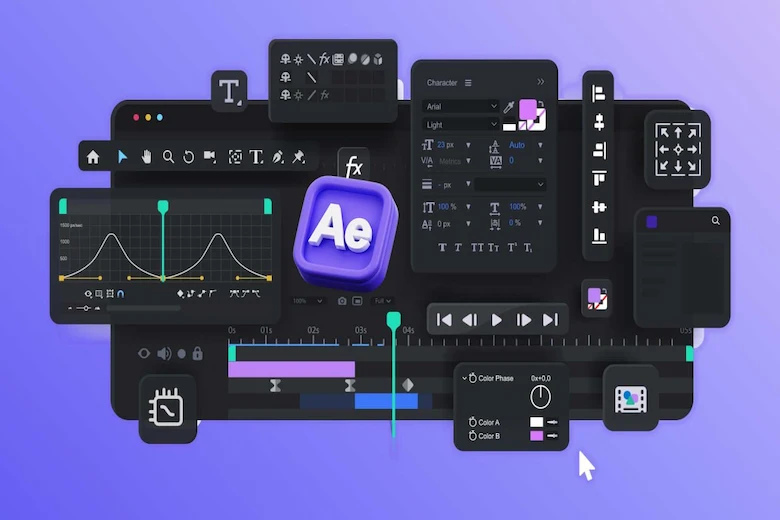
Introducing After Effects tools
There are many tools in After Effects, each of which plays an important role in creating visual effects. From mask and transform tools to additional plug-ins, all are designed to increase efficiency and finer control. Below, we will get acquainted with the 12 most important tools in After Effects.
Selection Tool
This tool is the most basic tool in After Effects and is used to select, move, and adjust the position of layers. Every project in After Effects starts with precise selection of objects to have complete control over the various components of the image. Using the Selection Tool, you can manage layers in the timeline and composition with high precision. This tool also plays a key role in coordinating the repositioning of elements when designing animations.
Hand Tool
The Hand Tool in After Effects is used to navigate the composition space. Using this tool, the user can move around different areas of the project without zooming in or out. This feature speeds up work and increases control over the work environment, especially in large projects with multiple compositions.
Zoom Tool
The Zoom Tool is used to zoom in and out on different areas of a composition. Designers use this tool to examine fine details, especially when creating precise effects or adjusting the subtle movement of graphic elements. Controlling the zoom level, along with high resolution, helps you achieve maximum precision.
Pen Tool
The Pen Tool is one of the most used tools in After Effects. It can be used to draw precise paths or custom masks to create specific cuts and movements. Many professional banner and poster design projects are done with the Pen Tool because it provides high precision and exceptional motion control.
Mask Tool
The Mask Tool allows users to isolate or hide specific parts of an image or video. This tool is very effective for creating special visual effects, such as selective lighting or combining multiple images. Masks play a key role in creating scenes that require a high level of realism and visual control.
Text Tool
This tool is used to add text to a project. In After Effects, it is possible to animate letters and words, change fonts, colors, and 3D effects for text. Many creators of promotional teasers rely on the Text Tool to convey their message in an attractive way.
Shape Tool
The Shape Tool lets you create and animate geometric shapes like circles, squares, or stars. This feature is very useful for creating creative motion graphics. This tool is especially useful for logo design projects that require precise and dynamic movements.
Brush Tool
The Brush Tool works like a brush in other design software. You can use it to draw freehand lines or create effects like smoke, light, or a painting effect. Controlling the hardness and softness of the brush in this tool allows you to create custom visual effects.
Roto Brush
Roto Brush allows you to intelligently separate a subject from its background. By quickly selecting a subject, After Effects automatically processes the remaining frames to create a professional separation. This tool is very useful for making precise edits in commercials and cinematic videos.
Puppet Tool
The Puppet Tool is one of the most interesting tools in After Effects. It allows you to move different parts of an image or character in a natural way. This tool is very suitable for creating 2D animations of humans or animals.
Camera Tool
The Camera Tool is used to control the angle, movement, and viewing distance of 3D scenes. This tool can be used to increase the sense of depth and realism. In many professional advertising teasers, the use of virtual camera movements with the Camera Tool elevates the film to a higher level.
Uses and benefits of After Effects
After Effects is not only a tool for creating visual effects, but also a flexible platform for combining art and technology. This software plays a key role in filmmaking, advertising design, digital design, and even visual education. With a set of advanced plugins and settings, After Effects software brings creative projects dramatically closer to reality. Here are some of the uses and benefits of After Effects.
Create professional motion graphics
One of the most prominent uses of After Effects is to create animated motion graphics. This type of design is widely used for advertisements and teasers. Motion graphics help to combine images, movement, and visual effects to convey a message in an attractive way. Many companies use this feature to introduce their brand, product, or even large projects to buy property in Greece.
Editing special visual effects
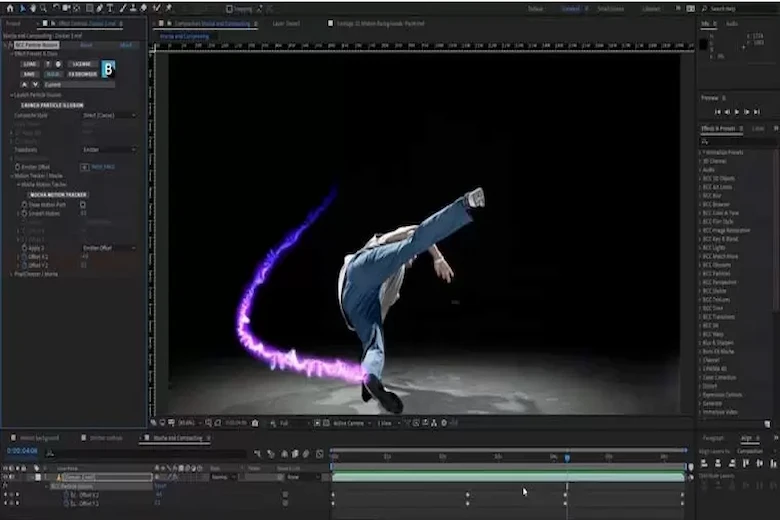
After Effects is a combination of editing and simulation software. Effects such as explosions, artificial lighting, or snow and rain are created with this program. Masking, transition and camera tools, along with dedicated plugins, allow you to create cinematic scenes for any project.
User interface design and digital graphics
In graphic design projects, After Effects serves as a useful software for designing visual effects in user interfaces and web pages. With this software, you can design smooth and varied movements for visual elements. Graphic designers usually use After Effects along with office set design to coordinate the brand’s visual identity.
Making teasers and video advertisements
After Effects is an effective tool for creating promotional videos. By combining images, text, and motion effects, you can deliver your advertising message to your audience in a professional manner. This feature has made After Effects one of the essential software for content production and advertising companies.
Final Words
After Effects is a powerful and flexible software that provides a set of advanced tools for editing and design. From cinematic projects to digital advertisements, the capabilities of this program take designers’ creativity to the peak. Proper knowledge of the tools shortens the design path and makes the result more professional. Using it along with expertise in design can depict a world of ideas and create a new future for visual productions. Thank you for your support.
At Amood Design and Branding Group, we specialize in office set design, brochure and catalog design, banner and poster design, logo design, etc. For more information, just contact us.